
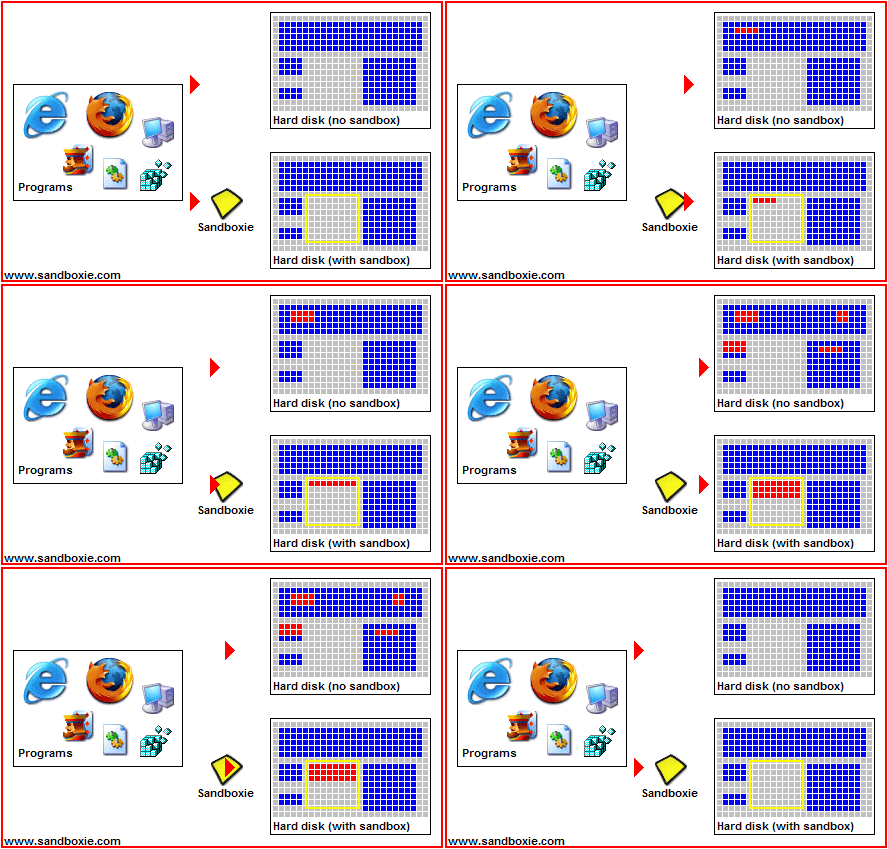

Runs your programs in an isolated space without installation.
Download Sandboxie Portable Rev 2 from Ge.tt (5.90 MB)
(md5: 59ff4ecf35e4f06e11200bcb260ffd47)
(Changelog: fixed unable to install required service correctly)
(Multilingual: Albanian, Arabic, Bulgarian, SimpChinese, TradChinese, Croatian, Czech, Danish, Dutch, English, Estonian, Farsi, Finnish, French, German, Greek, Hebrew, Hungarian, Indonesian, Italian, Japanese, Korean, Macedonian, Polish, Portuguese, PortugueseBR, Russian, Slovak, Spanish, Swedish, Turkish, Ukrainian)
Extract and run SandboxiePortable.
If you don't want to see any progress while launcher does something on pre-run and post-run: edit SandboxiePortable.ini with HideProgressWindow=true.
Target (SbieCtrl.exe) executed by launcher as user privileges, write ExecAsAdmin=true in SandboxiePortable.ini to execute it as administrator privileges.
You can add Run Sandboxed context menu to files and folders by editing SandboxiePortable.ini with ShellIntegration=true.
Language set by launcher according Windows language, if you don't want: edit SandboxiePortable.ini with SystemLanguage=false.
If you want to change language: write SelectLanguage=true in SandboxiePortable.ini.
Settings of installed Sandboxie should be preserved.
Don't forget to close from systray (or from File > Exit) when leaving.
Make sure SandboxiePortableRuntimeData.ini (in \Data) has been removed by launcher when leaving.
